Product comparison · 2 monitors

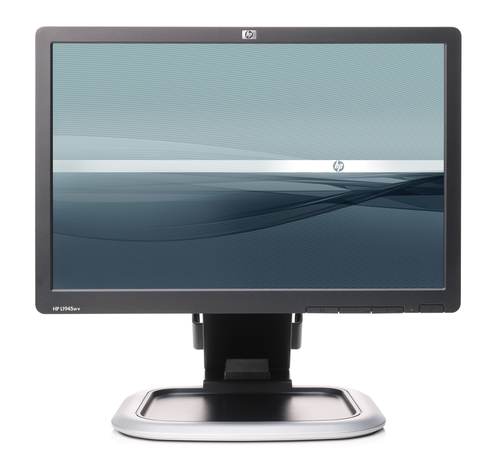
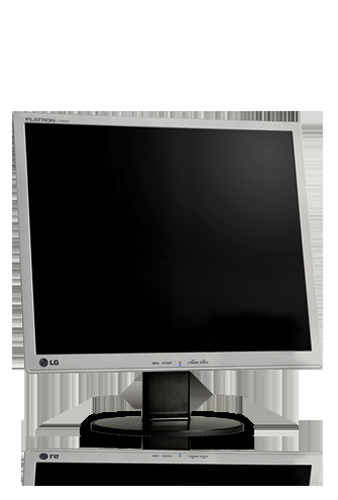
HP L1945wv 19-inch Widescreen LCD Monitor vs LG L1742PP Monitor

Add a product
  • 11specifications compared
  • 7differ
  • 4identical
  • 57known for one product only

Key differences

The LG L1742PP Monitor has 7,000 :1 more contrast ratio (typical) than the HP L1945wv 19-inch Widescreen LCD Monitor (8000:1 vs 1000:1). The HP L1945wv 19-inch Widescreen LCD Monitor has 3.67 kg more weight (without stand) than the LG L1742PP Monitor (6.8 kg vs 3.13 kg). Display diagonal: 48.3 cm (19") on the HP L1945wv 19-inch Widescreen LCD Monitor, 43.2 cm (17") on the LG L1742PP Monitor. Display resolution: 1440 x 900 pixels on the HP L1945wv 19-inch Widescreen LCD Monitor, 1280 x 1024 pixels on the LG L1742PP Monitor. Pixel pitch: 0.282 x 0.282 mm on the HP L1945wv 19-inch Widescreen LCD Monitor, 0.264 x 0.264 mm on the LG L1742PP Monitor.

  • Display diagonal
    • L1945wv 19-inch Widescreen LCD Monitor:48.3 cm (19")
    • L1742PP Monitor:43.2 cm (17")
  • Display resolution
    • L1945wv 19-inch Widescreen LCD Monitor:1440 x 900 pixels
    • L1742PP Monitor:1280 x 1024 pixels
  • Contrast ratio (typical)
    • L1945wv 19-inch Widescreen LCD Monitor:1000:1
    • L1742PP Monitor:8000:1
  • Pixel pitch
    • L1945wv 19-inch Widescreen LCD Monitor:0.282 x 0.282 mm
    • L1742PP Monitor:0.264 x 0.264 mm
  • Weight (without stand)
    • L1945wv 19-inch Widescreen LCD Monitor:6.8 kg
    • L1742PP Monitor:3.13 kg
  • Supplied AC adapter type
    • L1945wv 19-inch Widescreen LCD Monitor:AC
    • L1742PP Monitor:LCD, 150

Side by side

Differences highlightedShow differences only (off)
Comparison of L1945wv 19-inch Widescreen LCD Monitor, L1742PP Monitor
68 specifications
Display4 differ
Display diagonalDiffers48.3 cm (19")43.2 cm (17")
Display resolutionDiffers1440 x 900 pixels1280 x 1024 pixels
TouchscreenNoNo
Display brightness (typical)300 cd/m²300 cd/m²
Response time5 ms5 ms
Contrast ratio (typical)Differs1000:18000:1
Viewing angle, horizontalKnown for one160°Unknown — not stated by the source
Viewing angle, verticalKnown for one160°Unknown — not stated by the source
Pixel pitchDiffers0.282 x 0.282 mm0.264 x 0.264 mm
Horizontal scan rangeKnown for one24 - 83 kHzUnknown — not stated by the source
Vertical scan rangeKnown for one50 - 76 HzUnknown — not stated by the source
Pixel frequencyKnown for one140 MHzUnknown — not stated by the source
Display scanning frequencyKnown for oneHorizontal frequency: 24-83 kHz, Vertical frequency: 50-76 HzUnknown — not stated by the source
Surface treatmentKnown for oneWide-Aspect Active Matrix TFT (thin film transistor)Unknown — not stated by the source
Native aspect ratioKnown for oneUnknown — not stated by the source5:4
Aspect ratioKnown for oneUnknown — not stated by the source5:4
Display number of coloursKnown for oneUnknown — not stated by the source16.78 million colours
Colour gamut standardKnown for oneUnknown — not stated by the sourcesRGB
Designidentical
Product colourSilverSilver
Ports & interfacesidentical
I/O portsKnown for oneUSB 2.0 Hub: self-powered, two ports (cable included)Unknown — not stated by the source
VGA (D-Sub) ports quantityKnown for oneUnknown — not stated by the source1
DVI-D ports quantityKnown for oneUnknown — not stated by the source1
Ergonomicsidentical
Panel mounting interfaceKnown for one100 x 100 mmUnknown — not stated by the source
Cable lock slotKnown for oneYesUnknown — not stated by the source
Cable lock slot typeKnown for oneKensingtonUnknown — not stated by the source
Adjustable height (max)Known for one13 cmUnknown — not stated by the source
Swivel angle rangeKnown for one-45 - 45°Unknown — not stated by the source
Tilt angle rangeKnown for one-5 - 35°Unknown — not stated by the source
Plug and PlayKnown for oneYesUnknown — not stated by the source
ErgonomicsKnown for oneThe monitor meets the ergonomic requirement of EN-ISO 13406-2 for flat panel displays.Unknown — not stated by the source
Display tilt and swivel rangeKnown for oneTilt range: -5° to + 35° vertical tilt, swivel range: -45° to +45°, height adjust: 130 mm, pivot rotation, attachable baseUnknown — not stated by the source
LED indicatorsKnown for oneUnknown — not stated by the sourceStand-by
Poweridentical
Power consumption (typical)Known for one65 WUnknown — not stated by the source
Power consumption (standby)Known for one2 WUnknown — not stated by the source
Operational conditionsidentical
Operating temperature (T-T)Known for one5 - 35 °CUnknown — not stated by the source
Storage temperature (T-T)Known for one20 - 60 °CUnknown — not stated by the source
Operating relative humidity (H-H)Known for one20 - 80%Unknown — not stated by the source
Storage relative humidity (H-H)Known for one5 - 95%Unknown — not stated by the source
Relative humidityKnown for one20 - 80%Unknown — not stated by the source
Non-operating relative humidity (non-condensing)Known for one5 - 90%Unknown — not stated by the source
Weight & dimensions1 differ
Width (with stand)Known for one446 mmUnknown — not stated by the source
Depth (with stand)Known for one301 mmUnknown — not stated by the source
Height (with stand)Known for one456 mmUnknown — not stated by the source
Width (without stand)Known for one446 mmUnknown — not stated by the source
Depth (without stand)Known for one301 mmUnknown — not stated by the source
Height (without stand)Known for one456 mmUnknown — not stated by the source
Weight (without stand)Differs6.8 kg3.13 kg
Weight (with stand)Known for oneUnknown — not stated by the source4.25 kg
Packaging dataidentical
Package dimensions (WxDxH)Known for one562 x 235 x 381 mmUnknown — not stated by the source
Package weightKnown for one8.5 kgUnknown — not stated by the source
Packaging contentidentical
Bundled softwareKnown for oneHP Display Assistant is a software utility that enables theft deterrence and allows monitor adjustment, color calibration, and security/asset management using the Display Data Channel Command Interface (DDC/CI) protocol of the connected PC; HP Display LiteSaver allows you to schedule Sleep mode at pUnknown — not stated by the source
Quick start guideKnown for oneUnknown — not stated by the sourceYes
ManualKnown for oneUnknown — not stated by the sourceYes
Other features2 differ
Country of originKnown for oneChinaUnknown — not stated by the source
Audio systemKnown for oneNo audio included at platform levelUnknown — not stated by the source
Power requirementsKnown for one100 - 240 VAC, 50 - 60 HzUnknown — not stated by the source
Security featuresKnown for oneKensington Lock-readyUnknown — not stated by the source
CertificationDiffersTCO’03, ISO 13406-2 VDT Guidelines Approval, CISPR Requirements, VCCI Approvals, MIC (Korean) Requirements, CSA, Australian ACA Approval, “GS” Mark, TUV Approvals, CE Marking, FCC Approval, ENERGY STAR qualified, PC-2001 Certified, Microsoft Windows Certification (Microsoft Windows 98, Microsoft WinTCO`03 TCO`99 FCC-B CE TUV-GS
Display resolution at frequencyKnown for onePreset VESA Graphic Modes (non-interlaced): 1280 x 1024 @ 60 and 75 Hz, 1024 x 768 @ 60 and 75 Hz, 1152 x 870 @ 75 Hz (Mac), 1152 x 900 @ 66 Hz (Sun), 832 x 624 @ 75 Hz (Mac), 800 x 600 @ 60 and 75 Hz, 720 x 400 @ 70 Hz, 640 x 480 @ 60 and 75 Hz, 1440 x 900 @ 60 Hz, 1280 x 960 @ 60 HzUnknown — not stated by the source
Display video input type connectorKnown for one15-pin D-sub VGAUnknown — not stated by the source
MultimediaKnown for oneOptional HP LCD Speaker Bar: powered directly by the monitor or PC, the Speaker Bar seamlessly attaches to the monitor's lower bezel to bring full audio support to select HP LCD monitors. Features include dual speakers with full sound range and external jack for headphones, part number EE418AA. ForUnknown — not stated by the source
Multimedia connectionsKnown for oneOptional HP LCD Speaker Bar: powered directly by the monitor or PC, the Speaker Bar seamlessly attaches to the monitor's lower bezel to bring full audio support to select HP LCD monitors. Features include dual speakers with full sound range and external jack for headphones, part number EE418AA. ForUnknown — not stated by the source
UNSPSC-codeKnown for one43211902Unknown — not stated by the source
User controlsKnown for onePower on/off; 3-button OSD (menu, plus, minus) Brightness, contrast, positioning, color temperature (6500k, 9300k, custom), serial number, display, clock, clock phase, monitor management, factory resetUnknown — not stated by the source
Supplied AC adapter typeDiffersACLCD, 150
TV tuner integratedKnown for oneUnknown — not stated by the sourceNo
Multimediaidentical
Built-in speaker(s)Known for oneUnknown — not stated by the sourceNo
Built-in cameraKnown for oneUnknown — not stated by the sourceNo

A dash means the value is not stated by the source. Unknown values are never counted for or against a product, and there is no overall score.

More monitor comparisons

All monitor comparisons