Product comparison · 2 monitors

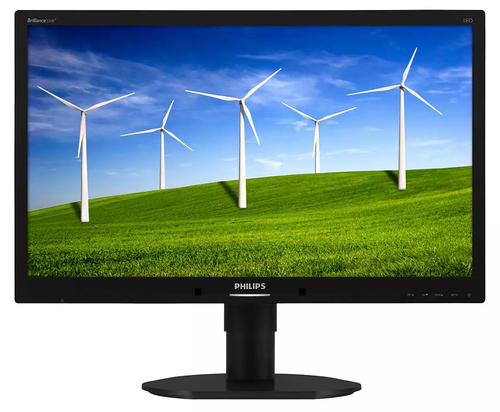
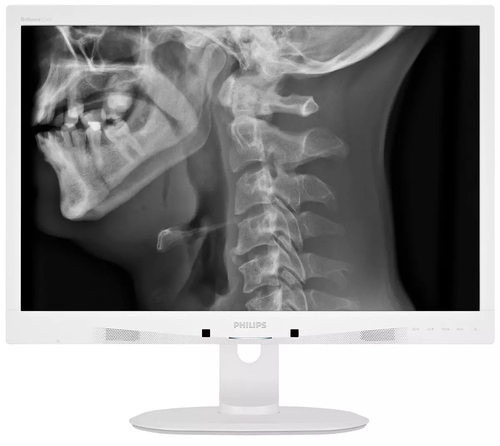
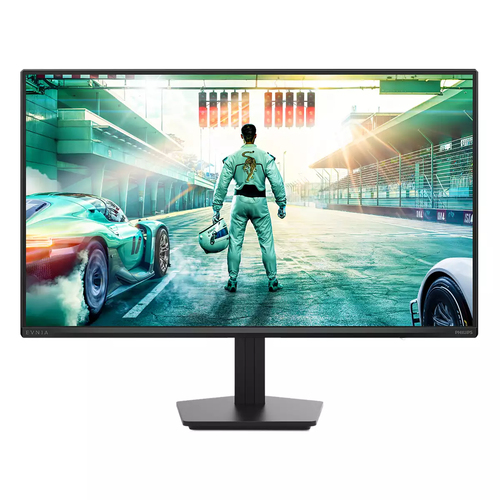
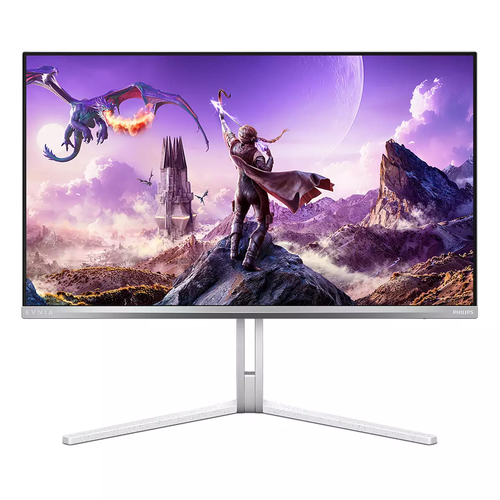
Philips Brilliance 220B4LPCB/69 computer monitor vs Philips Brilliance C240P4QPYEW/69 computer monitor

Add a product
  • 100specifications compared
  • 45differ
  • 55identical
  • 17known for one product only

Key differences

The Philips Brilliance C240P4QPYEW/69 computer monitor has 50 cd/m² more display brightness (typical) than the Philips Brilliance 220B4LPCB/69 computer monitor (300 cd/m² vs 250 cd/m²). The Philips Brilliance C240P4QPYEW/69 computer monitor has 9 ms more response time than the Philips Brilliance 220B4LPCB/69 computer monitor (14 ms vs 5 ms). The Philips Brilliance C240P4QPYEW/69 computer monitor has 8° more viewing angle, horizontal than the Philips Brilliance 220B4LPCB/69 computer monitor (178° vs 170°). Display diagonal: 55.9 cm (22") on the Philips Brilliance 220B4LPCB/69 computer monitor, 61 cm (24") on the Philips Brilliance C240P4QPYEW/69 computer monitor. Display resolution: 1680 x 1050 pixels on the Philips Brilliance 220B4LPCB/69 computer monitor, 1920 x 1200 pixels on the Philips Brilliance C240P4QPYEW/69 computer monitor.

  • Display diagonal
    • Brilliance 220B4LPCB/69 computer monitor:55.9 cm (22")
    • Brilliance C240P4QPYEW/69 computer monitor:61 cm (24")
  • Display resolution
    • Brilliance 220B4LPCB/69 computer monitor:1680 x 1050 pixels
    • Brilliance C240P4QPYEW/69 computer monitor:1920 x 1200 pixels
  • Display technology
    • Brilliance 220B4LPCB/69 computer monitor:LCD
    • Brilliance C240P4QPYEW/69 computer monitor:LED
  • Panel type
    • Brilliance 220B4LPCB/69 computer monitor:TFT
    • Brilliance C240P4QPYEW/69 computer monitor:IPS
  • Display brightness (typical)
    • Brilliance 220B4LPCB/69 computer monitor:250 cd/m²
    • Brilliance C240P4QPYEW/69 computer monitor:300 cd/m²
  • Response time
    • Brilliance 220B4LPCB/69 computer monitor:5 ms
    • Brilliance C240P4QPYEW/69 computer monitor:14 ms
  • Supported graphics resolutions
    • Brilliance 220B4LPCB/69 computer monitor:1680 x 1050 (WSXGA+)
    • Brilliance C240P4QPYEW/69 computer monitor:1920 x 1200 (WUXGA)
  • Viewing angle, horizontal
    • Brilliance 220B4LPCB/69 computer monitor:170°
    • Brilliance C240P4QPYEW/69 computer monitor:178°

Side by side

Differences highlightedShow differences only (off)
Comparison of 220B4LPCB/69, C240P4QPYEW/69
117 specifications
Display16 differ
Display diagonalDiffers55.9 cm (22")61 cm (24")
Display resolutionDiffers1680 x 1050 pixels1920 x 1200 pixels
Native aspect ratio16:1016:10
Display technologyDiffersLCDLED
TouchscreenNoNo
Panel typeDiffersTFTIPS
LED backlightYesYes
Backlight typeW-LEDW-LED
Display brightness (typical)Differs250 cd/m²300 cd/m²
Response timeDiffers5 ms14 ms
Supported graphics resolutionsDiffers1680 x 1050 (WSXGA+)1920 x 1200 (WUXGA)
Aspect ratio16:1016:10
Contrast ratio (typical)1000:11000:1
Viewing angle, horizontalDiffers170°178°
Viewing angle, verticalDiffers160°178°
Display number of colours16.7 million colours16.7 million colours
Pixel pitchDiffers0.282 x 0.282 mm0.270 x 0.270 mm
Horizontal scan rangeDiffers30 - 83 kHz24 - 94 kHz
Vertical scan rangeDiffers56 - 75 Hz48 - 85 Hz
Viewable size, horizontalDiffers47.4 cm51.8 cm
Viewable size, verticalDiffers29.6 cm32.4 cm
Sync-on-green (SOG)YesYes
Display diagonal (metric)Differs55.9 cm61 cm
DDC/CIYesYes
Colour gamut standardsRGBsRGB
3DNoNo
Separate H/V syncYesYes
Display sRGBYesYes
Display panel sizeDiffers22 inch / 55.9 cm24 inch / 61 cm
HD typeKnown for oneHDUnknown — not stated by the source
Contrast ratio (dynamic)Known for one20000000:1Unknown — not stated by the source
Digital horizontal frequencyKnown for one30 - 83 kHzUnknown — not stated by the source
Digital vertical frequencyKnown for one56 - 75 HzUnknown — not stated by the source
Performanceidentical
Windows operating systems supportedKnown for oneUnknown — not stated by the sourceYes
Mac operating systems supportedKnown for oneUnknown — not stated by the sourceYes
Multimedia1 differ
Built-in speaker(s)YesYes
Number of speakers22
RMS rated powerDiffers3 W4 W
Built-in cameraNoNo
Design3 differ
Market positioningKnown for oneUnknown — not stated by the sourceMedical
Product colourDiffersBlackWhite
Front bezel colourDiffersBlackWhite
Feet colourDiffersBlackWhite
Ports & interfaces1 differ
USB hub version2.02.0
USB Type-A downstream ports quantityDiffers24
VGA (D-Sub) ports quantity11
DVI portYesYes
DVI-D ports quantity11
HDMI ports quantity00
DisplayPorts quantityKnown for oneUnknown — not stated by the source1
Headphone outYesYes
Headphone outputs11
PC Audio inYesYes
HDCPYesYes
Ergonomics3 differ
VESA mountingYesYes
Panel mounting interface100 x 100 mm100 x 100 mm
Cable lock slotYesYes
Cable lock slot typeKensingtonKensington
Height adjustmentYesYes
Adjustable height (max)Differs11 cm13 cm
PivotYesYes
Pivot angle0 - 90°0 - 90°
SwivellingYesYes
Swivel angle range-65 - 65°-65 - 65°
Tilt adjustmentYesYes
Tilt angle range-5 - 20°-5 - 20°
On Screen Display (OSD)YesYes
On Screen Display (OSD) languagesDiffersPortuguese, English, French, German, Italian, Russian, Simplified Chinese, SpanishPortuguese, Czech, Dutch, English, Finnish, French, German, Greek, Hungarian, Italian, Japanese, Korean, Polish, Russian, Simplified Chinese, Spanish, Swedish, Traditional Chinese, Turkish, Ukrainian
Number of OSD languages88
Plug and PlayKnown for oneUnknown — not stated by the sourceYes
LED indicatorsDiffersPowerOperation, Stand-by
Power2 differ
Power consumption (typical)Differs14.61 W31.4 W
Power consumption (standby)Differs0.3 W0.5 W
Power consumption (off)0 W0 W
AC input voltage100 - 240 V100 - 240 V
AC input frequency50/60 Hz50/60 Hz
Power consumption (PowerSave)Known for one11.7 WUnknown — not stated by the source
Power supply typeKnown for oneInternalUnknown — not stated by the source
Operational conditionsidentical
Operating temperature (T-T)0 - 40 °C0 - 40 °C
Storage temperature (T-T)-20 - 60 °C-20 - 60 °C
Operating relative humidity (H-H)20 - 80%20 - 80%
Storage relative humidity (H-H)Known for oneUnknown — not stated by the source10 - 80%
Operating altitude0 - 3658 m0 - 3658 m
Non-operating altitude0 - 12192 m0 - 12192 m
Weight & dimensions8 differ
Width (with stand)Differs504 mm555 mm
Depth (with stand)Differs227 mm244 mm
Height (with stand)Differs509 mm550 mm
Weight (with stand)Differs5.2 kg6.97 kg
Width (without stand)Differs504 mm555 mm
Depth (without stand)Differs59 mm65 mm
Height (without stand)Differs349 mm388 mm
Weight (without stand)Differs3.38 kg4.64 kg
Packaging data4 differ
Package widthDiffers565 mm632 mm
Package depthDiffers186 mm286 mm
Package heightDiffers391 mm457 mm
Package weightDiffers7.05 kg9.8 kg
Packaging content1 differ
Bundled softwareDiffersSmartControl PremiumSmartControl
Sustainabilityidentical
Sustainability certificatesEPEAT Gold, ENERGY STAREPEAT Gold, ENERGY STAR
Doesn't containMercury, PVC/BFRMercury, PVC/BFR
Other features6 differ
Compatible operating systemsDiffersMac OS X; Windows 7/Vista/XPMac OS X; Windows 8.1 / 8 / 7
On/off switchYesYes
TV tuner integratedNoNo
Exterior finish typeTexturedTextured
Compliance certificatesKnown for oneUnknown — not stated by the sourceElectromagnetic Compatibility (EMC), CE, TÜV mark, CCC, CECP, RCM, cUL, UL
Monitor sync input signalDiffersSeparate Sync; Sync on GreenSync on Green; Separate Sync
SafetyKnown for oneUnknown — not stated by the sourceRoHS, WEEE, EC/EN60601-1, CE, GOST
Signal inputDiffersDVI-D (digital, HDCP); VGA (Analog )DisplayPort 1.2; DVI-D (digital, HDCP); VGA (Analog )
Mean time between failures (MTBF)30000 h30000 h
CertificationDiffersBSMI, CE Mark, FCC Class B, GOST, SASO, SEMKO, TCO 6.0, TUV Ergo, TUV/GS, UL/cUL, WEEEEC/EN60601-1-2, CE JIS Z2801, TUV/GS, TUV Ergo, TCO 6.0
DICOMKnown for oneUnknown — not stated by the sourceYes
Picture enhancementDiffersSmartImageSmartImage Clinic
User controlsDiffersSmartImage; Volume; PowerSensor; Menu; Power On/OffSmartImage Clinic; PowerSensor; Menu; Power On/Off; 4:3 / Wide
Supplied AC adapter typeLEDLED
Recycling dataidentical
Packaging recyclability rate100%100%
Overall recyclability rateKnown for one65%Unknown — not stated by the source
Product post-consumer recycled plasticKnown for one65%Unknown — not stated by the source
Thin Clientidentical
Thin client installedNoNo

A dash means the value is not stated by the source. Unknown values are never counted for or against a product, and there is no overall score.

More monitor comparisons

All monitor comparisons