Product comparison · 2 monitors

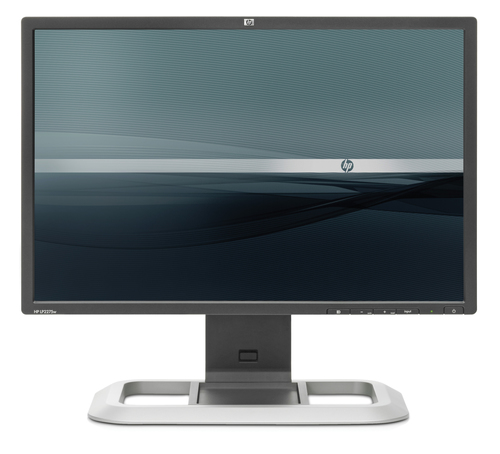
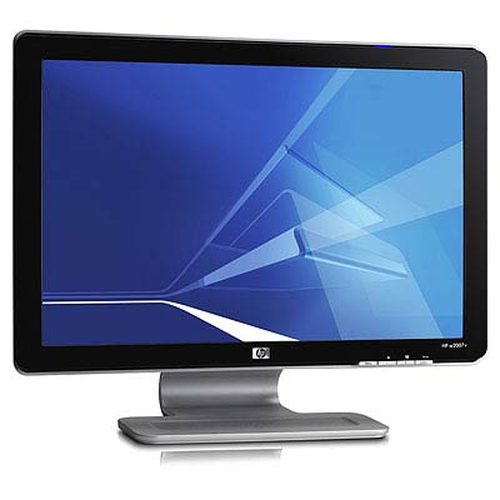
HP LP2275w 22-inch Widescreen LCD Monitor vs HP w2007v 20.1’’ Widescreen Flat Panel Monitor

Add a product
  • 37specifications compared
  • 25differ
  • 12identical
  • 22known for one product only

Key differences

The HP LP2275w 22-inch Widescreen LCD Monitor has 18° more viewing angle, horizontal than the HP w2007v 20.1’’ Widescreen Flat Panel Monitor (178° vs 160°). The HP LP2275w 22-inch Widescreen LCD Monitor has 18° more viewing angle, vertical than the HP w2007v 20.1’’ Widescreen Flat Panel Monitor (178° vs 160°). The HP w2007v 20.1’’ Widescreen Flat Panel Monitor has 13 mm more width (with stand) than the HP LP2275w 22-inch Widescreen LCD Monitor (490 mm vs 477 mm). Display diagonal: 55.9 cm (22") on the HP LP2275w 22-inch Widescreen LCD Monitor, 51 cm (20.1") on the HP w2007v 20.1’’ Widescreen Flat Panel Monitor. Pixel pitch: 0.282 x 0.282 mm on the HP LP2275w 22-inch Widescreen LCD Monitor, 0.258 x 0.258 mm on the HP w2007v 20.1’’ Widescreen Flat Panel Monitor.

  • Display diagonal
    • LP2275w 22-inch Widescreen LCD Monitor:55.9 cm (22")
    • w2007v 20.1’’ Widescreen Flat Panel Monitor:51 cm (20.1")
  • Viewing angle, horizontal
    • LP2275w 22-inch Widescreen LCD Monitor:178°
    • w2007v 20.1’’ Widescreen Flat Panel Monitor:160°
  • Viewing angle, vertical
    • LP2275w 22-inch Widescreen LCD Monitor:178°
    • w2007v 20.1’’ Widescreen Flat Panel Monitor:160°
  • Pixel pitch
    • LP2275w 22-inch Widescreen LCD Monitor:0.282 x 0.282 mm
    • w2007v 20.1’’ Widescreen Flat Panel Monitor:0.258 x 0.258 mm
  • Horizontal scan range
    • LP2275w 22-inch Widescreen LCD Monitor:30 - 93 kHz
    • w2007v 20.1’’ Widescreen Flat Panel Monitor:24 - 82 kHz
  • Vertical scan range
    • LP2275w 22-inch Widescreen LCD Monitor:48 - 85 Hz
    • w2007v 20.1’’ Widescreen Flat Panel Monitor:50 - 76 Hz
  • Tilt angle range
    • LP2275w 22-inch Widescreen LCD Monitor:-5 - 30°
    • w2007v 20.1’’ Widescreen Flat Panel Monitor:-5 - 25°
  • Operating temperature (T-T)
    • LP2275w 22-inch Widescreen LCD Monitor:5 - 35 °C
    • w2007v 20.1’’ Widescreen Flat Panel Monitor:0 - 40 °C

Side by side

Differences highlightedShow differences only (on)
Comparison of LP2275w 22-inch Widescreen LCD Monitor, w2007v 20.1’’ Widescreen Flat Panel Monitor
59 specifications
Display7 differ
Display diagonalDiffers55.9 cm (22")51 cm (20.1")
Viewing angle, horizontalDiffers178°160°
Viewing angle, verticalDiffers178°160°
Pixel pitchDiffers0.282 x 0.282 mm0.258 x 0.258 mm
Horizontal scan rangeDiffers30 - 93 kHz24 - 82 kHz
Vertical scan rangeDiffers48 - 85 Hz50 - 76 Hz
Display scanning frequencyDiffersHorizontal frequency: 30-93 kHz, Vertical frequency: 48-85 Hz50-76Hz vertical, 24-82kHz horizontal
Display resolutionKnown for oneUnknown — not stated by the source1680 x 1050 pixels
Response timeKnown for oneUnknown — not stated by the source5 ms
Display number of coloursKnown for oneUnknown — not stated by the source16.78 million colours
Multimediaidentical
Built-in speaker(s)Known for oneNoUnknown — not stated by the source
Designidentical
Product colourKnown for oneBlackUnknown — not stated by the source
Ports & interfacesidentical
DVI-I ports quantityKnown for one1Unknown — not stated by the source
HDCPKnown for oneYesUnknown — not stated by the source
I/O portsKnown for oneUSB 2.0 Hub: self-powered, four ports (cable included)Unknown — not stated by the source
Ergonomics2 differ
Adjustable height (max)Known for one10 cmUnknown — not stated by the source
Swivel angle rangeKnown for one-45 - 45°Unknown — not stated by the source
Tilt angle rangeDiffers-5 - 30°-5 - 25°
Display tilt and swivel rangeDiffersTilt range: -5° to + 30° vertical tilt, swivel range: -45° to +45°, height adjust: 100 mm, pivot rotationSwivel and vertical tilt range -5 degrees to 25 degrees; standard 4 hole pattern 100mm x 100mm screw wall-mounting option
Poweridentical
Power consumption (standby)Known for one2 WUnknown — not stated by the source
Power consumption (typical)Known for oneUnknown — not stated by the source52 W
Operational conditions1 differ
Operating temperature (T-T)Differs5 - 35 °C0 - 40 °C
Operating relative humidity (H-H)Known for one20 - 80%Unknown — not stated by the source
Storage relative humidity (H-H)Known for one5 - 95%Unknown — not stated by the source
Weight & dimensions7 differ
Width (with stand)Differs477 mm490 mm
Depth (with stand)Differs253 mm184 mm
Height (with stand)Differs506 mm397 mm
Width (without stand)Differs506 mm490 mm
Depth (without stand)Differs82 mm184 mm
Height (without stand)Differs328 mm397 mm
Weight (without stand)Differs8.5 kg6.1 kg
Packaging data2 differ
Package dimensions (WxDxH)Differs606 x 340 x 440 mm590 x 175 x 516 mm
Package weightDiffers11.3 kg7.6 kg
Packaging contentidentical
Bundled softwareKnown for oneHP Display Assistant is a software utility that enables theft deterrence and allows monitor adjustment, color calibration, and security/asset management using the Display Data Channel Command Interface (DDC/CI) protocol of the connected PC; HP Display LiteSaver allows you to schedule Sleep mode at pUnknown — not stated by the source
Other features6 differ
Audio systemKnown for oneNo audio included at platform levelUnknown — not stated by the source
Power requirementsDiffers100 to 240 VAC, 50 to 60 Hz100 - 240V, 50 - 60Hz, External AC 100-240V, auto-ranging, 50-60Hz
Security featuresDiffersKensington Lock-readyKensington lock ready
CertificationKnown for oneTCO’03, ISO 13406-2 VDT Guidelines Approval, CISPR Requirements, VCCI Approvals, MIC (Korean) Requirements, CSA, Australian ACA Approval, “GS” Mark, TUV Approvals, CE Marking, FCC Approval, Microsoft Windows Certification (Microsoft Windows 98, Microsoft Windows 2000, Microsoft Windows XP, and WindoUnknown — not stated by the source
Dimensions (W x D x H) (imperial)Known for one505.5 x 83.8 x 327.7 mm (19.9 x 3.3 x 12.9")Unknown — not stated by the source
Display resolution at frequencyDiffersPreset VESA Graphic Modes (non-interlaced): 640 x 480 @ 60 Hz and 75 Hz, 800 x 600 @ 60 Hz and 75 Hz, 1024 x 768 @ 60 Hz and 75 Hz, 1280 x 960 @ 60 Hz and 75 Hz, 1280 x 1024 @ 60 Hz and 75 Hz, 1440 x 900 @ 60 Hz, 1600 x 1000 @ 60 Hz; Text Mode: 720 x 400 @ 70 Hz; Mac Mode: 1152 x 870 @ 75 Hz and 8321680 x 1050 @ 60Hz (native recommended) plus all VESA modes up to 1680 x 1050 @ 60Hz
Display video input type connectorDiffersVGA, DVI-I, DisplayPort connectors, HDCP supportAnalog (15-pin miniature D-sub VGA)
MultimediaKnown for oneOptional HP Silver LCD Speaker Bar: powered directly by the monitor or PC, the Speaker Bar seamlessly attaches to the monitor's lower bezel to bring full audio support to select HP LCD monitors. Features include dual speakers with full sound range and external jack for headphones, part number EE418AUnknown — not stated by the source
User controlsDiffersPower on/off; 3-button OSD (menu, plus, minus); function, input Brightness, contrast, OSD control, color temperature (6500k, 9300k, custom, sRGB), individual color control, information, video input control, clock, clock phase, monitor management, factory resetBrightness, Contrast, Image Control, Color, Quick View, Language, Management, Information, Factory Reset, Exit, 8 Languages
Supplied AC adapter typeDiffersLCD, No audio included at platform levelLCD
Compliance industry standardsKnown for oneUnknown — not stated by the sourceCE Marking, 9241-3,7,8 VDT guidelines, ISO 13406-2 pixel defect guidelines, MPR-II, FCC approval, Microsoft Windows certified (Microsoft Windows 2000, Microsoft Windows XP, and Microsoft Vista), UL listed, GOST (Russia), SASO (Saudi Arabia), SABS (South Africa), SEMKO
Speakers and microphoneKnown for oneUnknown — not stated by the sourceIntegrated active speakers (2 x 2W /channel) with front volume control
Thin Clientidentical
Processor frequencyKnown for one2.4 GHzUnknown — not stated by the source

A dash means the value is not stated by the source. Unknown values are never counted for or against a product, and there is no overall score.

More monitor comparisons

All monitor comparisons