Product comparison · 2 monitors

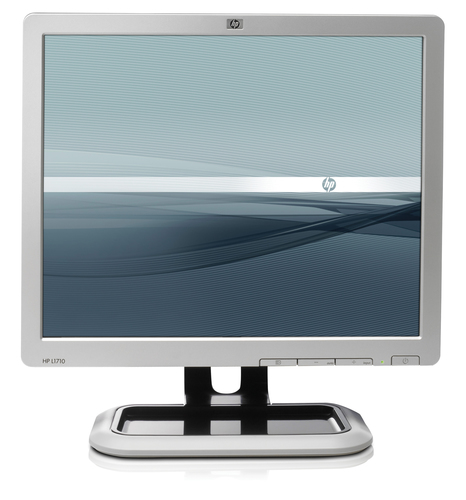
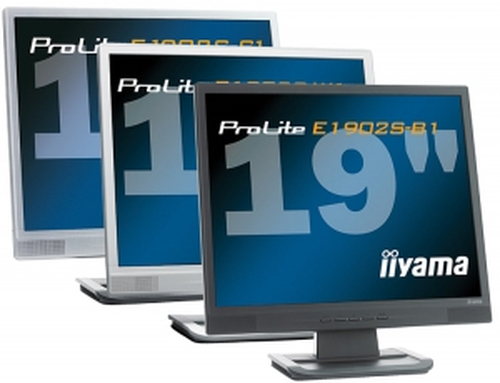
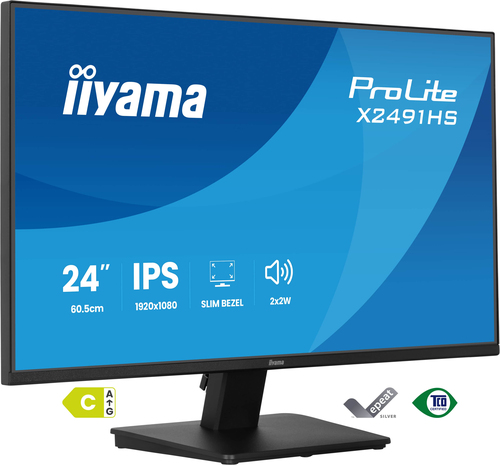
HP L1710 computer monitor vs iiyama ProLite E1902S-1 19" LCD Monitor

Add a product
  • 26specifications compared
  • 16differ
  • 10identical
  • 49known for one product only

Key differences

  • Display diagonal
    • L1710 computer monitor:43.2 cm (17")
    • ProLite E1902S-1 19" LCD Monitor:48.3 cm (19")
  • Response time
    • L1710 computer monitor:5 ms
    • ProLite E1902S-1 19" LCD Monitor:2 ms
  • Contrast ratio (typical)
    • L1710 computer monitor:800:1
    • ProLite E1902S-1 19" LCD Monitor:1000:1
  • Pixel pitch
    • L1710 computer monitor:0.264 x 0.264 mm
    • ProLite E1902S-1 19" LCD Monitor:0.294 x 0.294 mm
  • Horizontal scan range
    • L1710 computer monitor:24 - 83 kHz
    • ProLite E1902S-1 19" LCD Monitor:24 - 80 kHz
  • Vertical scan range
    • L1710 computer monitor:50 - 77 Hz
    • ProLite E1902S-1 19" LCD Monitor:55 - 75 Hz
  • Product colour
    • L1710 computer monitor:Silver
    • ProLite E1902S-1 19" LCD Monitor:Black
  • Tilt angle range
    • L1710 computer monitor:-5 - 25°
    • ProLite E1902S-1 19" LCD Monitor:5 - 25°

Side by side

Differences highlightedShow differences only (on)
Comparison of L1710, ProLite E1902S-1 19" LCD Monitor
75 specifications
Display6 differ
Display diagonalDiffers43.2 cm (17")48.3 cm (19")
Response timeDiffers5 ms2 ms
Supported graphics resolutionsKnown for one1280 x 1024 (SXGA)Unknown — not stated by the source
Contrast ratio (typical)Differs800:11000:1
Pixel pitchDiffers0.264 x 0.264 mm0.294 x 0.294 mm
Horizontal scan rangeDiffers24 - 83 kHz24 - 80 kHz
Vertical scan rangeDiffers50 - 77 Hz55 - 75 Hz
Viewable size diagonalKnown for one43.2 cmUnknown — not stated by the source
3DKnown for oneNoUnknown — not stated by the source
Pixel frequencyKnown for one140 MHzUnknown — not stated by the source
Display scanning frequencyKnown for oneHorizontal frequency: 24-83 kHz, Vertical frequency: 50-77 HzUnknown — not stated by the source
Surface treatmentKnown for oneActive Matrix TFT (thin film transistor)Unknown — not stated by the source
Native aspect ratioKnown for oneUnknown — not stated by the source4:3
Aspect ratioKnown for oneUnknown — not stated by the source4:3
Display panel sizeKnown for oneUnknown — not stated by the source301.1 x 376.3
Multimediaidentical
Built-in cameraKnown for oneNoUnknown — not stated by the source
RMS rated powerKnown for oneUnknown — not stated by the source2 W
Design1 differ
Product colourDiffersSilverBlack
Ports & interfacesidentical
I/O portsKnown for one15-pin mini D-sub analog VGA connectorUnknown — not stated by the source
AC (power) inKnown for oneUnknown — not stated by the sourceYes
Ergonomics1 differ
VESA mountingKnown for oneYesUnknown — not stated by the source
Panel mounting interfaceKnown for one100 x 100 mmUnknown — not stated by the source
Cable lock slotKnown for oneYesUnknown — not stated by the source
Cable lock slot typeKnown for oneKensingtonUnknown — not stated by the source
Height adjustmentKnown for oneYesUnknown — not stated by the source
Tilt angle rangeDiffers-5 - 25°5 - 25°
ErgonomicsKnown for oneThe monitor meets the ergonomic requirement of EN-ISO 13406-2 for flat panel displays.Unknown — not stated by the source
Display tilt and swivel rangeKnown for oneTilt range: -5° to + 25° vertical tilt, no swivel range, no height adjust, detachable baseUnknown — not stated by the source
Power1 differ
Power consumption (typical)Differs30 W42 W
Operational conditionsidentical
Operating temperature (T-T)Known for one5 - 35 °CUnknown — not stated by the source
Storage temperature (T-T)Known for one20 - 60 °CUnknown — not stated by the source
Operating relative humidity (H-H)Known for one20 - 80%Unknown — not stated by the source
Storage relative humidity (H-H)Known for one5 - 90%Unknown — not stated by the source
Relative humidityKnown for one20 - 80%Unknown — not stated by the source
Non-operating relative humidity (non-condensing)Known for one5 - 90%Unknown — not stated by the source
Weight & dimensions4 differ
Width (with stand)Known for one377 mmUnknown — not stated by the source
Depth (with stand)Known for one192 mmUnknown — not stated by the source
Height (with stand)Known for one386 mmUnknown — not stated by the source
Width (without stand)Differs377 mm407.5 mm
Depth (without stand)Differs57 mm210 mm
Height (without stand)Differs316 mm407 mm
Weight (without stand)Differs4.7 kg4.9 kg
Packaging dataidentical
Package dimensions (WxDxH)Known for one448 x 175 x 437 mmUnknown — not stated by the source
Package weightKnown for one6.1 kgUnknown — not stated by the source
Packaging contentidentical
Bundled softwareKnown for oneHP Display Assistant is a software utility that allows monitor adjustment and color calibration using the Display Data Channel Command Interface (DDC/CI) protocol of the connected PC; HP Display LiteSaver feature allows you to schedule Sleep mode at preset times to help protect the monitor against iUnknown — not stated by the source
ManualKnown for oneUnknown — not stated by the sourceYes
Other features3 differ
Country of originKnown for oneChinaUnknown — not stated by the source
On/off switchKnown for oneYesUnknown — not stated by the source
TV tuner integratedKnown for oneNoUnknown — not stated by the source
Monitor sync input signalKnown for oneOne 15-pin miniature D-sub connectorUnknown — not stated by the source
Power requirementsDiffersUniversal/auto-sensing, 100 to 240 VAC, 50 to 60 HzAC 100 - 240 V, 50 / 60 Hz
Security featuresKnown for oneKensington Lock-readyUnknown — not stated by the source
Signal inputKnown for oneAnalogUnknown — not stated by the source
CertificationDiffersISO 13406-2 pixel defect guidelines, MPR-II, CISPR, VCCI, CSA(Canada), ACA (Australia), TUV and GS Mark (German ergonomic), BSMI (Taiwan), CCC (China), MIC (South Korea), NOM (Mexico), Eastern European approvals, CE Marking, FCC approval, ENERGY STAR qualified, TCO '03 (emissions, ergonomics, enviroTCO '03, MPR III, ISO 13406-2, TÜV GS, FCC-B, UL / C-UL, CE, VCCI-B, GOST-R
Dimensions (W x D x H) (imperial)Known for one386.1 x 375.9 x 190.5 mm (15.2 x 14.8 x 7.5")Unknown — not stated by the source
Display resolution at frequencyKnown for onePreset VESA Graphic Modes (non-interlaced): 1280 x 1024 @ 60 and 75 Hz, 1024 x 768 @ 60, 70 and 75 Hz, 1152 x 870 @ 75 Hz (Mac), 1152 x 900 @ 76 Hz (Sun), 832 x 624 @ 75 Hz (Mac), 800 x 600 @ 60, 72 and 75 Hz, 720 x 400 @ 70 Hz, 640 x 480 @ 60, 72 and 75 HzUnknown — not stated by the source
Display video input type connectorKnown for one15-pin D-sub mini connector; detachedUnknown — not stated by the source
MultimediaKnown for oneOptional HP LCD Speaker Bar: powered directly by the monitor or PC, the Speaker Bar seamlessly attaches to the monitor's lower bezel to bring full audio support to select HP flat panel monitors. Features include dual speakers with full sound range and an external jack for headphones, part number EE4Unknown — not stated by the source
Multimedia connectionsKnown for oneOptional HP LCD Speaker Bar: powered directly by the monitor or PC, the Speaker Bar seamlessly attaches to the monitor's lower bezel to bring full audio support to select HP flat panel monitors. Features include dual speakers with full sound range and an external jack for headphones, part number EE4Unknown — not stated by the source
UNSPSC-codeKnown for one43211902Unknown — not stated by the source
User controlsDiffersPower on/off; 3-button OSD (menu, plus, minus)Image control (auto, horizontal, vertical), color temperature (6500k, 9300k, custom, sRGB), brightness, contrast, clock, clock phase, monitor management (power saver, sleep, power on recall, power on status, DDC/CI support, bezel power LED), factory resebrightness, contrast, colour temperature, auto set-up, sharpness, gamma, economy mode, clock, phase, V-position, H-position, OSD language, OSD position, OSD time out, signal select, volume
Weight (imperial)Known for one10.4 lbUnknown — not stated by the source
Supplied AC adapter typeKnown for oneACUnknown — not stated by the source
BandwidthKnown for oneUnknown — not stated by the source0.135 GHz
Additional accessoriesKnown for oneUnknown — not stated by the sourceStand, Cable Holder

A dash means the value is not stated by the source. Unknown values are never counted for or against a product, and there is no overall score.

More monitor comparisons

All monitor comparisons