Product comparison · 2 inkjet printers

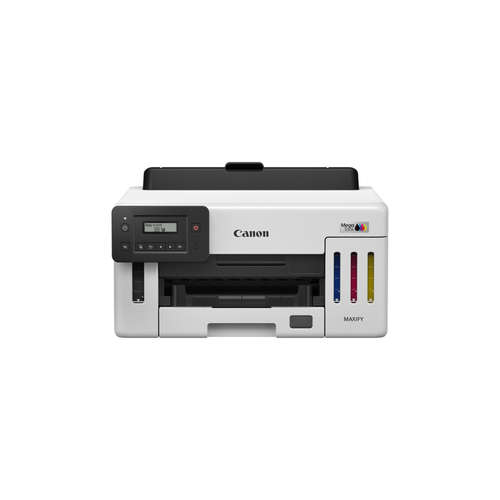
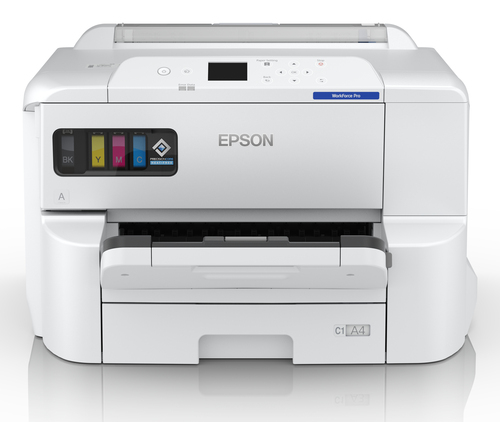
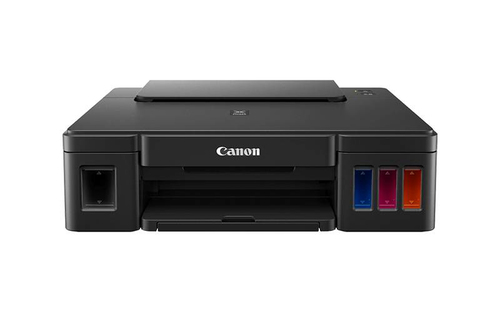
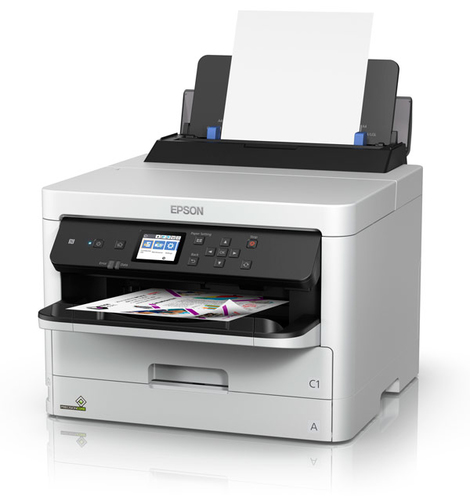
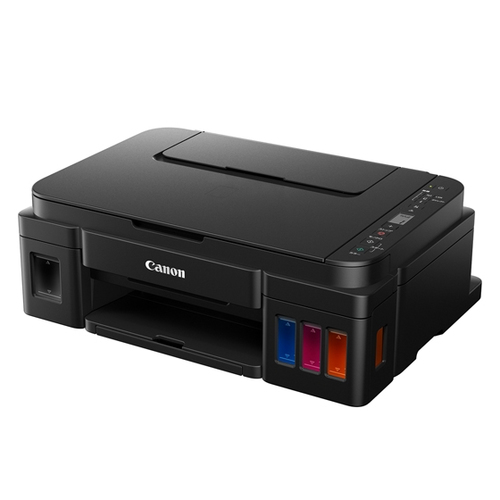
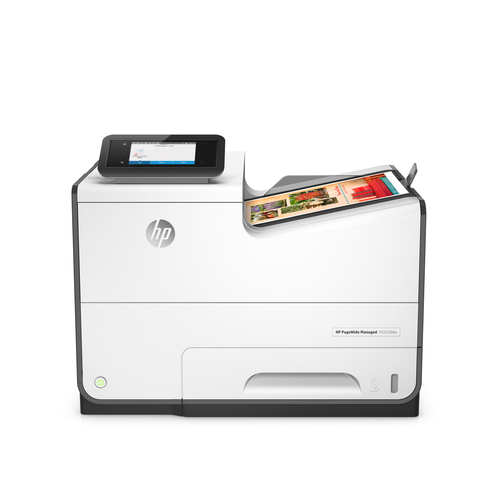
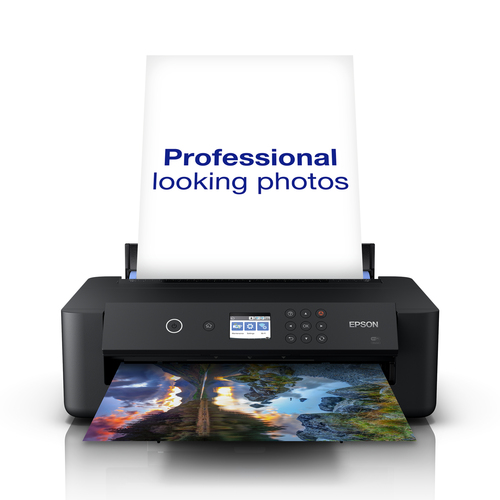
Canon MAXIFY GX5150 inkjet printer Colour vs Epson WorkForce Pro EP-C7000DW inkjet printer Colour

Add a product
  • 40specifications compared
  • 27differ
  • 13identical
  • 31known for one product only

Key differences

The Canon MAXIFY GX5150 inkjet printer Colour has 40,000 pages per month more maximum duty cycle than the Epson WorkForce Pro EP-C7000DW inkjet printer Colour (45000 pages per month vs 5000 pages per month). The Epson WorkForce Pro EP-C7000DW inkjet printer Colour has 4,200 x 1200 DPI more maximum resolution than the Canon MAXIFY GX5150 inkjet printer Colour (4800 x 1200 DPI vs 600 x 1200 DPI). The Canon MAXIFY GX5150 inkjet printer Colour has 1.5 s more time to first page (colour, normal) than the Epson WorkForce Pro EP-C7000DW inkjet printer Colour (7 s vs 5.5 s). Maximum ISO A-series paper size: A4 on the Canon MAXIFY GX5150 inkjet printer Colour, A3+ on the Epson WorkForce Pro EP-C7000DW inkjet printer Colour. ISO A-series sizes (A0...A9): A4, A5, A6 on the Canon MAXIFY GX5150 inkjet printer Colour, A3, A3+, A4, A5, A6 on the Epson WorkForce Pro EP-C7000DW inkjet printer Colour.

  • Maximum duty cycle
    • MAXIFY GX5150 inkjet printer Colour:45000 pages per month
    • WorkForce Pro EP-C7000DW inkjet printer Colour:5000 pages per month
  • Maximum resolution
    • MAXIFY GX5150 inkjet printer Colour:600 x 1200 DPI
    • WorkForce Pro EP-C7000DW inkjet printer Colour:4800 x 1200 DPI
  • Time to first page (colour, normal)
    • MAXIFY GX5150 inkjet printer Colour:7 s
    • WorkForce Pro EP-C7000DW inkjet printer Colour:5.5 s
  • Total number of input trays
    • MAXIFY GX5150 inkjet printer Colour:1
    • WorkForce Pro EP-C7000DW inkjet printer Colour:3
  • Total input capacity
    • MAXIFY GX5150 inkjet printer Colour:100 sheets
    • WorkForce Pro EP-C7000DW inkjet printer Colour:335 sheets
  • Maximum number of input trays
    • MAXIFY GX5150 inkjet printer Colour:1
    • WorkForce Pro EP-C7000DW inkjet printer Colour:3
  • Maximum input capacity
    • MAXIFY GX5150 inkjet printer Colour:350 sheets
    • WorkForce Pro EP-C7000DW inkjet printer Colour:1835 sheets
  • Maximum ISO A-series paper size
    • MAXIFY GX5150 inkjet printer Colour:A4
    • WorkForce Pro EP-C7000DW inkjet printer Colour:A3+

Side by side

Differences highlightedShow differences only (off)
Comparison of GX5150, EP-C7000DW
71 specifications
Features1 differ
ColourYesYes
Maximum duty cycleDiffers45000 pages per month5000 pages per month
Number of print cartridges44
Duplex printingYesYes
Duplex printing modeKnown for oneAutoUnknown — not stated by the source
Printing coloursBlack, Cyan, Magenta, YellowBlack, Cyan, Magenta, Yellow
Recommended duty cycleKnown for oneUnknown — not stated by the source500 - 5000 pages per month
Page description languagesKnown for oneUnknown — not stated by the sourceESC/P-R, PCL 5c, PCL 6, PDF 1.7, PostScript 3
Printing2 differ
Maximum resolutionDiffers600 x 1200 DPI4800 x 1200 DPI
Time to first page (black, normal)5.5 s5.5 s
Time to first page (colour, normal)Differs7 s5.5 s
Print speed (ISO/IEC 24734) colourKnown for one15.5 ipmUnknown — not stated by the source
Print speed (ISO/IEC 24734) monoKnown for one24 ipmUnknown — not stated by the source
Print speed (black, normal quality, A4/US Letter)Known for oneUnknown — not stated by the source25 ppm
Print speed (colour, draft quality, A4/US Letter)Known for oneUnknown — not stated by the source24 ppm
Print speed (black, normal quality, A3)Known for oneUnknown — not stated by the source13 ppm
Print speed (colour, normal quality, A3)Known for oneUnknown — not stated by the source13 ppm
Input & output capacity4 differ
Total number of input traysDiffers13
Total input capacityDiffers100 sheets335 sheets
Maximum number of input traysDiffers13
Maximum input capacityDiffers350 sheets1835 sheets
Total output capacityKnown for oneUnknown — not stated by the source250 sheets
Multi-Purpose trayKnown for oneUnknown — not stated by the sourceYes
Multi-Purpose tray input capacityKnown for oneUnknown — not stated by the source85 sheets
Paper handling7 differ
Maximum ISO A-series paper sizeDiffersA4A3+
Paper tray media typesDiffersEnvelopes, Glossy paper, Matte paper, Photo paper, Plain paperGlossy paper, Letterhead, Plain paper, Recycled paper
ISO A-series sizes (A0...A9)DiffersA4, A5, A6A3, A3+, A4, A5, A6
ISO B-series sizes (B0...B9)DiffersB5B4, B5, B6
Non-ISO print media sizesLegal, LetterLegal, Letter
Envelopes sizesDiffersCom-10, DL10, C4, C6
Photo paper sizesDiffers10x15,13x18,18x25,20x2510x15,13x18,20x25
Paper tray media weightDiffers64 - 105 g/m²64 - 300 g/m²
Ports & interfaces1 differ
USB portYesYes
USB 2.0 ports quantityDiffers12
USB 3.2 Gen 1 (3.1 Gen 1) ports quantityKnown for oneUnknown — not stated by the source1
Network3 differ
Ethernet LANYesYes
Wi-FiYesYes
Wi-Fi DirectKnown for oneYesUnknown — not stated by the source
Wi-Fi standards802.11a, 802.11b, 802.11g, Wi-Fi 4 (802.11n), Wi-Fi 5 (802.11ac)802.11a, 802.11b, 802.11g, Wi-Fi 4 (802.11n), Wi-Fi 5 (802.11ac)
Security algorithmsDiffersWPA-AES, WPA-EAP, WPA2-AES, WPA2-PSK, WPA3-EAP, WPA3-SAE64-bit WEP, 128-bit WEP, WPA2-AES, WPA2-Enterprise, WPA2-PSK
Supported network protocolsDiffersSNMP / HTTP/TCP/IPSNMP, HTTP, DHCP, BOOTP, APIPA, DDNS, mDNS, SNTP, SLP, WSD, LLTD, Ping
Mobile printing technologiesDiffersApple AirPrint, Mopria Print ServiceApple AirPrint, Epson Connect, Epson Email Print, Epson iPrint, Google Cloud Print, Mopria Print Service
Design1 differ
Market positioningHome & officeHome & office
Product colourWhiteWhite
Built-in displayYesYes
DisplayKnown for oneLCDUnknown — not stated by the source
Control typeDiffersButtonsTouch
Power2 differ
Power consumption (printing)Differs19 W37 W
Power consumption (standby)Known for one1.4 WUnknown — not stated by the source
Energy Star Typical Electricity Consumption (TEC)Known for one0.14 kWh/weekUnknown — not stated by the source
AC input voltageDiffers100 - 240 V220 - 240 V
AC input frequencyKnown for one50/60 HzUnknown — not stated by the source
Power consumption (off)Known for oneUnknown — not stated by the source0.1 W
Power consumption (ready)Known for oneUnknown — not stated by the source8.5 W
System requirements2 differ
Windows operating systems supportedDiffersWindows 10, Windows 7, Windows 8Yes
Mac operating systems supportedDiffersMac OS 12.4, Mac OS 13.1, Mac OS X 10.9 Mavericks, Mac OS X 11.0 Big Sur, Mac OS X 12.0 Monterey, Mac OS X 13.0 Ventura, Mac OS X 14.0 Sonoma, Mac OS X 15.0 SequoiaYes
Server operating systems supportedKnown for oneWindows Server 2008, Windows Server 2008 R2, Windows Server 2012, Windows Server 2012 R2Unknown — not stated by the source
Other operating systems supportedKnown for oneChromeOSUnknown — not stated by the source
Operational conditionsidentical
Operating temperature (T-T)Known for one15 - 30 °CUnknown — not stated by the source
Operating relative humidity (H-H)Known for one10 - 80%Unknown — not stated by the source
Weight & dimensions4 differ
WidthDiffers399 mm613 mm
DepthDiffers639 mm650 mm
HeightDiffers332 mm386 mm
WeightDiffers9 kg35.4 kg
Packaging dataidentical
Cartridge(s) includedKnown for oneYesUnknown — not stated by the source
Included cartridge capacity (black)Known for one14000 pagesUnknown — not stated by the source
Included cartridge capacity (CMY)Known for one6000 pagesUnknown — not stated by the source
Included cartridge capacity (economy mode, black)Known for one9000 pagesUnknown — not stated by the source
Included cartridge capacity (economy mode, CMY)Known for one21000 pagesUnknown — not stated by the source
Performanceidentical
Sound pressure level (printing)Known for oneUnknown — not stated by the source52 dB
Sound power level (printing)Known for oneUnknown — not stated by the source6.7 dB

A dash means the value is not stated by the source. Unknown values are never counted for or against a product, and there is no overall score.

More inkjet printer comparisons

All inkjet printer comparisons