Product comparison · 2 inkjet printers

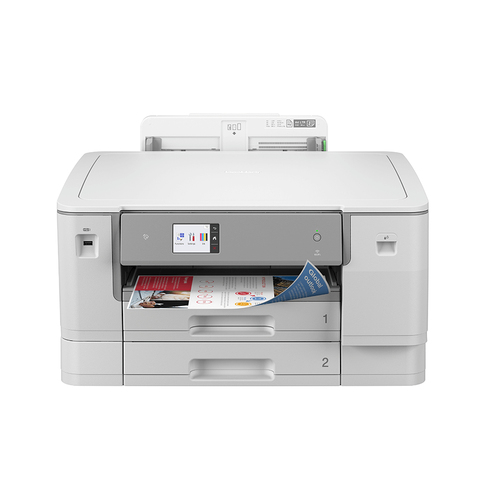
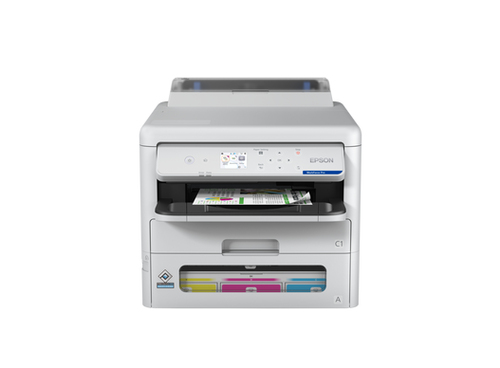
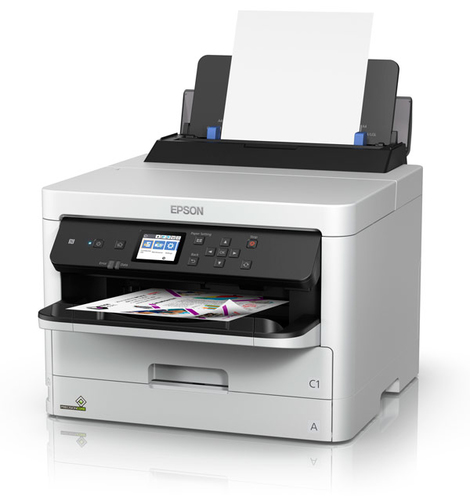
Brother HL-J6010DW inkjet printer Colour vs Epson WorkForce Pro EP-C800RDW inkjet printer Colour

Add a product
  • 48specifications compared
  • 32differ
  • 16identical
  • 33known for one product only

Key differences

The Epson WorkForce Pro EP-C800RDW inkjet printer Colour has 66,500 pages per month more maximum duty cycle than the Brother HL-J6010DW inkjet printer Colour (70000 pages per month vs 3500 pages per month). The Epson WorkForce Pro EP-C800RDW inkjet printer Colour has 4 ppm more print speed (black, normal quality, A4/US Letter) than the Brother HL-J6010DW inkjet printer Colour (34 ppm vs 30 ppm). The Epson WorkForce Pro EP-C800RDW inkjet printer Colour has 13 ppm more print speed (colour, normal quality, A4/US Letter) than the Brother HL-J6010DW inkjet printer Colour (34 ppm vs 21 ppm). Recommended duty cycle: 250 - 3500 pages per month on the Brother HL-J6010DW inkjet printer Colour, 500 - 5000 pages per month on the Epson WorkForce Pro EP-C800RDW inkjet printer Colour. Maximum resolution: 1200 x 4800 DPI on the Brother HL-J6010DW inkjet printer Colour, 4800 x 1200 DPI on the Epson WorkForce Pro EP-C800RDW inkjet printer Colour.

  • Maximum duty cycle
    • HL-J6010DW inkjet printer Colour:3500 pages per month
    • WorkForce Pro EP-C800RDW inkjet printer Colour:70000 pages per month
  • Recommended duty cycle
    • HL-J6010DW inkjet printer Colour:250 - 3500 pages per month
    • WorkForce Pro EP-C800RDW inkjet printer Colour:500 - 5000 pages per month
  • Maximum resolution
    • HL-J6010DW inkjet printer Colour:1200 x 4800 DPI
    • WorkForce Pro EP-C800RDW inkjet printer Colour:4800 x 1200 DPI
  • Print speed (black, normal quality, A4/US Letter)
    • HL-J6010DW inkjet printer Colour:30 ppm
    • WorkForce Pro EP-C800RDW inkjet printer Colour:34 ppm
  • Print speed (colour, normal quality, A4/US Letter)
    • HL-J6010DW inkjet printer Colour:21 ppm
    • WorkForce Pro EP-C800RDW inkjet printer Colour:34 ppm
  • Time to first page (black, normal)
    • HL-J6010DW inkjet printer Colour:4.4 s
    • WorkForce Pro EP-C800RDW inkjet printer Colour:4.8 s
  • Time to first page (colour, normal)
    • HL-J6010DW inkjet printer Colour:4.6 s
    • WorkForce Pro EP-C800RDW inkjet printer Colour:5.3 s
  • Total number of input trays
    • HL-J6010DW inkjet printer Colour:3
    • WorkForce Pro EP-C800RDW inkjet printer Colour:2

Side by side

Differences highlightedShow differences only (off)
Comparison of HL-J6010DW, EP-C800RDW
81 specifications
Features3 differ
ColourYesYes
Maximum duty cycleDiffers3500 pages per month70000 pages per month
Recommended duty cycleDiffers250 - 3500 pages per month500 - 5000 pages per month
Number of print cartridges44
Duplex printingYesYes
Duplex printing modeKnown for oneAutoUnknown — not stated by the source
Page description languagesDiffersBR-Script 3, PCL 6, PDF 1.7, XPSESC/P-R, PCL 5e, PCL 6, PDF 1.7, PostScript 3
Printing coloursBlack, Cyan, Magenta, YellowBlack, Cyan, Magenta, Yellow
Printing5 differ
Maximum resolutionDiffers1200 x 4800 DPI4800 x 1200 DPI
Print speed (black, normal quality, A4/US Letter)Differs30 ppm34 ppm
Print speed (colour, normal quality, A4/US Letter)Differs21 ppm34 ppm
Time to first page (black, normal)Differs4.4 s4.8 s
Time to first page (colour, normal)Differs4.6 s5.3 s
Input & output capacity4 differ
Total number of input traysDiffers32
Total input capacityDiffers500 sheets330 sheets
Total output capacityDiffers100 sheets150 sheets
Multi-Purpose trayYesYes
Multi-Purpose tray input capacityDiffers100 sheets8 sheets
Maximum input capacityKnown for oneUnknown — not stated by the source1830 sheets
Paper handling7 differ
Maximum ISO A-series paper sizeDiffersA3A4
Paper tray media typesDiffersPhoto paper, Plain paper, Recycled paperExecutive, Glossy paper, Letterhead, Photo paper, Plain paper, Recycled paper
ISO A-series sizes (A0...A9)DiffersA3, A4, A5, A6A4, A5, A6
ISO C-series sizes (C0...C9)DiffersC5C4, C5
Non-ISO print media sizesDiffersIndex card, LegalLegal, Letter
Envelopes sizesDiffersDL, MonarchC4, C6, DL
Photo paper sizesKnown for one9x13,10x15,13x18Unknown — not stated by the source
Paper tray media weightDiffers64 - 220 g/m²64 - 300 g/m²
ISO B-series sizes (B0...B9)Known for oneUnknown — not stated by the sourceB5, B6
Ports & interfacesidentical
USB portYesYes
USB 2.0 ports quantity11
Direct printingYesYes
Network2 differ
Ethernet LANYesYes
Wi-FiYesYes
Wi-Fi DirectYesYes
Wi-Fi standardsDiffers802.11a, 802.11b, 802.11g, Wi-Fi 4 (802.11n)802.11a, 802.11b, 802.11g, Wi-Fi 4 (802.11n), Wi-Fi 5 (802.11ac)
Near Field Communication (NFC)Known for oneYesUnknown — not stated by the source
Security algorithmsDiffers802.1x RADIUS, APOP, EAP-FAST, EAP-MD5, EAP-TLS, EAP-TTLS, HTTPS, IPPS, PEAP, SMTP-AUTH, SNMPv3, SSL/TLS, WPA-PSK, WPA2-PSK, WPA3-SAEIPSec, SNMPv3, SSL/TLS, TLS, WPA2, WPA3
Mobile printing technologiesKnown for oneApple AirPrint, Brother iPrint & Scan, Mopria Print ServiceUnknown — not stated by the source
Supported network protocolsKnown for oneUnknown — not stated by the sourceHTTPS, IPv4, IPv6, SNMP
Performance2 differ
Internal memoryDiffers512 MB2048 MB
Sound pressure level (printing)Differs53 dB37 dB
Sound power level (printing)Known for oneUnknown — not stated by the source6.7 dB
Design2 differ
Market positioningDiffersHome & officeBusiness
Product colourWhiteWhite
Built-in displayYesYes
DisplayLCDLCD
Colour displayYesYes
Display diagonalDiffers6.86 cm (2.7")6.1 cm (2.4")
Control typeTouchTouch
Country of originKnown for onePhilippinesUnknown — not stated by the source
Power3 differ
Power consumption (printing)Differs24 W27 W
Power consumption (ready)Differs5 W7 W
Energy Star Typical Electricity Consumption (TEC)Differs0.17 kWh/week0.18 kWh/week
AC input voltageKnown for oneUnknown — not stated by the source100 - 240 V
AC input frequencyKnown for oneUnknown — not stated by the source50/60 Hz
System requirementsidentical
Windows operating systems supportedKnown for oneWindows 10, Windows 7, Windows 8Unknown — not stated by the source
Mac operating systems supportedKnown for oneMac OS X 10.14 Mojave, Mac OS X 10.15 Catalina, Mac OS X 10.15.3 CatalinaUnknown — not stated by the source
Linux operating systems supportedKnown for oneYesUnknown — not stated by the source
Server operating systems supportedKnown for oneWindows Server 2008, Windows Server 2008 R2, Windows Server 2012, Windows Server 2012 R2, Windows Server 2016, Windows Server 2019Unknown — not stated by the source
Sustainabilityidentical
Sustainability certificatesKnown for oneBlue Angel, Nordic Swan EcolabelUnknown — not stated by the source
Sustainability complianceKnown for oneYesUnknown — not stated by the source
Weight & dimensions4 differ
WidthDiffers561 mm425 mm
DepthDiffers493 mm535 mm
HeightDiffers681 mm413 mm
WeightDiffers19.9 kg17.6 kg
Packaging dataidentical
Cartridge(s) includedKnown for oneYesUnknown — not stated by the source
Included cartridge capacity (black)Known for one6000 pagesUnknown — not stated by the source
Included cartridge capacity (CMY)Known for one5000 pagesUnknown — not stated by the source
Package widthKnown for one681 mmUnknown — not stated by the source
Package depthKnown for one561 mmUnknown — not stated by the source
Package heightKnown for one493 mmUnknown — not stated by the source
Package weightKnown for one22.6 kgUnknown — not stated by the source
Technical detailsidentical
Master (outer) cases per pallet layerKnown for one2 pc(s)Unknown — not stated by the source
Pallet typeKnown for one800 x 1200 mmUnknown — not stated by the source
Logistics dataidentical
Harmonized System (HS) codeKnown for one84433210Unknown — not stated by the source
Pallet gross heightKnown for one16.2 cmUnknown — not stated by the source
Pallet gross weightKnown for one153.8 kgUnknown — not stated by the source
Master (outer) cases per palletKnown for one6 pc(s)Unknown — not stated by the source
Layers per palletKnown for one3 pc(s)Unknown — not stated by the source
Products per palletKnown for one6 pc(s)Unknown — not stated by the source
Other featuresidentical
Spare part retentionKnown for one5 year(s)Unknown — not stated by the source

A dash means the value is not stated by the source. Unknown values are never counted for or against a product, and there is no overall score.

More inkjet printer comparisons

All inkjet printer comparisons